
Hundreds of Flaws: Why Your Device Needs Updates Now
Don't ignore that 'Update Now' notification. Hundreds of software flaws appear annually, making device updates crucial for security and speed.
Don’t Skip Updates: Your Devices Need Them
That “Update Now” notification is more important than you think. Hundreds of software flaws appear every year. Device updates are not just for new looks. They fix security holes. They also ensure hardware compatibility and speed up your device.
Updates change operating systems, apps, and device firmware. Big tech companies like Apple, Google, and Microsoft release these packages often. You usually get a notification asking you to install them. A device restart is often needed.
Many people find updates inconvenient. They delay installing them to avoid downtime. Some worry about new bugs. Others simply dislike changes to what they know. However, these updates are not optional. They are vital for your device’s function and your safety. Updates are necessary because digital threats are constant, and technology keeps changing.
Security Updates Prevent Attacks
Over 26,000 new software flaws appeared in 2023, according to CVE Details. Each flaw offers a way in for bad actors. Device makers release updates to fix these holes.
Microsoft’s monthly “Patch Tuesday” fixes many flaws in Windows and other products. For example, the May 2024 update fixed 61 security bugs. Eleven of these were “Critical.” They included remote code execution vulnerabilities, which let attackers run unwanted code on your device.
Apple regularly updates iOS and macOS devices for the same reasons. In March 2024, Apple released iOS 17.4 to fix two zero-day flaws. Attackers were already using these flaws before a fix was available. Zero-day exploits are very dangerous because no patch exists when they are discovered.
Google’s Android Security Bulletins list flaws fixed in the Android OS. The April 2024 bulletin patched 44 flaws. These included serious issues that could leak data or give attackers more control. Regular updates keep your data safe from phishing, ransomware, and other cyberattacks.
Without these patches, devices are open to known attacks. Attackers look for systems that have not updated. If you delay updates, you face a higher risk of a cyberattack. This puts your personal and financial data at risk.
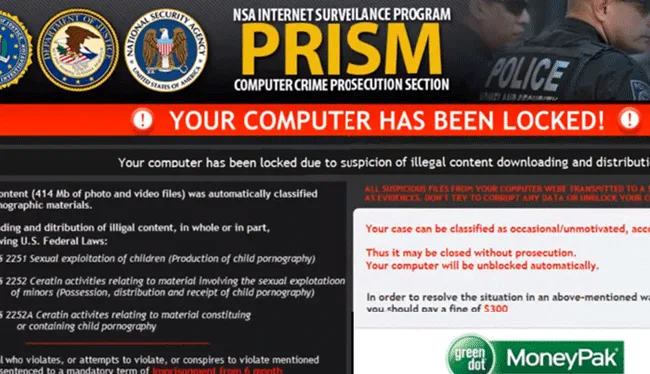
Ransomware attacks encrypt a user's files and demand payment, often in cryptocurrency, to restore access. Regular device updates are crucial to patch vulnerabilities that ransomware exploits, protecting personal and financial data from such devastating cyberattacks. (Source: enigmasoftware.com)
Updates Keep Your Devices Working Well and Fast
Today’s devices work with a growing range of hardware and software. Updates make sure everything continues to work together. New Wi-Fi, Bluetooth, and apps require your device to be up-to-date.
The Wi-Fi Alliance keeps releasing new Wi-Fi standards. Wi-Fi 6E and Wi-Fi 7 offer faster speeds and less interference. Your devices need software updates to use these new features. Older devices might not fully support them.
Bluetooth also evolves, bringing better audio and mesh networking. Updates provide the necessary drivers and firmware. This allows your devices to connect easily with new accessories. For instance, your phone might need an update to pair with new smart home gadgets.
Operating system updates often make things faster. Google’s Android 14, released in October 2023, improved system performance. This gave users longer battery life and faster app launches. Developers design their apps to run best on the newest OS versions.
Device makers also use updates to fix existing slowdowns. Samsung’s One UI updates often improve camera performance. They adjust how photos are processed. This leads to better pictures without new hardware.
Apps in stores often need a specific operating system version. If your software is old, you might not be able to use important apps. This means you must update to keep using them. Businesses rely on updated software for their daily work.
Updates Improve Your Device and Extend its Life
Updates often bring new features that make devices better to use. These additions can be small visual changes or big new tools. Developers listen to users and market trends.
Apple’s iOS 17, released in September 2023, brought new features. These included StandBy mode, which shows information when your phone charges sideways. It also added Contact Posters for custom call screens. These features change how users interact with their devices daily.
Google’s Pixel Feature Drops add new features to Pixel phones. The March 2024 drop added Circle to Search to older Pixel models. This AI tool allows you to search for anything on your screen. Such updates make existing hardware more useful.

Google's 'Circle to Search' feature, introduced via a Pixel Feature Drop, allows users to quickly search for anything on their screen by simply circling it. This AI-powered tool exemplifies how software updates can bring powerful new functionalities to existing hardware, enhancing user experience without requiring a new device. (Source: techcrunch.com)
Updates also enhance accessibility features. Microsoft’s Windows 11 updates have improved voice access and screen reader tools. These changes make technology more inclusive for many users. This makes the device more valuable.
Keeping your device updated helps it last longer. Manufacturers provide software support for years. This includes security patches and improved compatibility. Devices without this support are less safe and do not work as well.
If you update your devices, you may get more money when you sell them. Updated devices are more appealing to used buyers. This makes the device useful for a longer time. It also helps reduce electronic waste.
The Risks of Not Updating
Ignoring device updates carries risks. The main concern is cybersecurity. Systems without patches are easy targets for cybercriminals. Data breaches can lead to identity theft and stolen money.
A 2023 report by Check Point Research showed a 7% increase in cyberattacks worldwide. Old software is a common entry point. Companies face large fines and bad publicity from breaches. As a user, you can also lose money directly.
Old software also causes devices to run slowly. Apps might crash more often or run slower. New apps might not install or work correctly. This makes your device less enjoyable to use.
Compatibility problems will appear over time. Devices might struggle to connect with newer accessories. Accessing modern web services or cloud platforms could become difficult. This makes the device less useful in our connected world.
Manufacturers eventually stop supporting older devices. This means no more security patches or feature updates. Such devices become “end-of-life.” They pose a greater security risk and do not work as effectively.
Updating your devices is not just a chore. It is part of a larger industry move towards continuous improvement and staying ahead of threats. You play a key part in keeping your digital life safe and your devices useful. Expect future devices to make updates even easier to install and harder to skip.
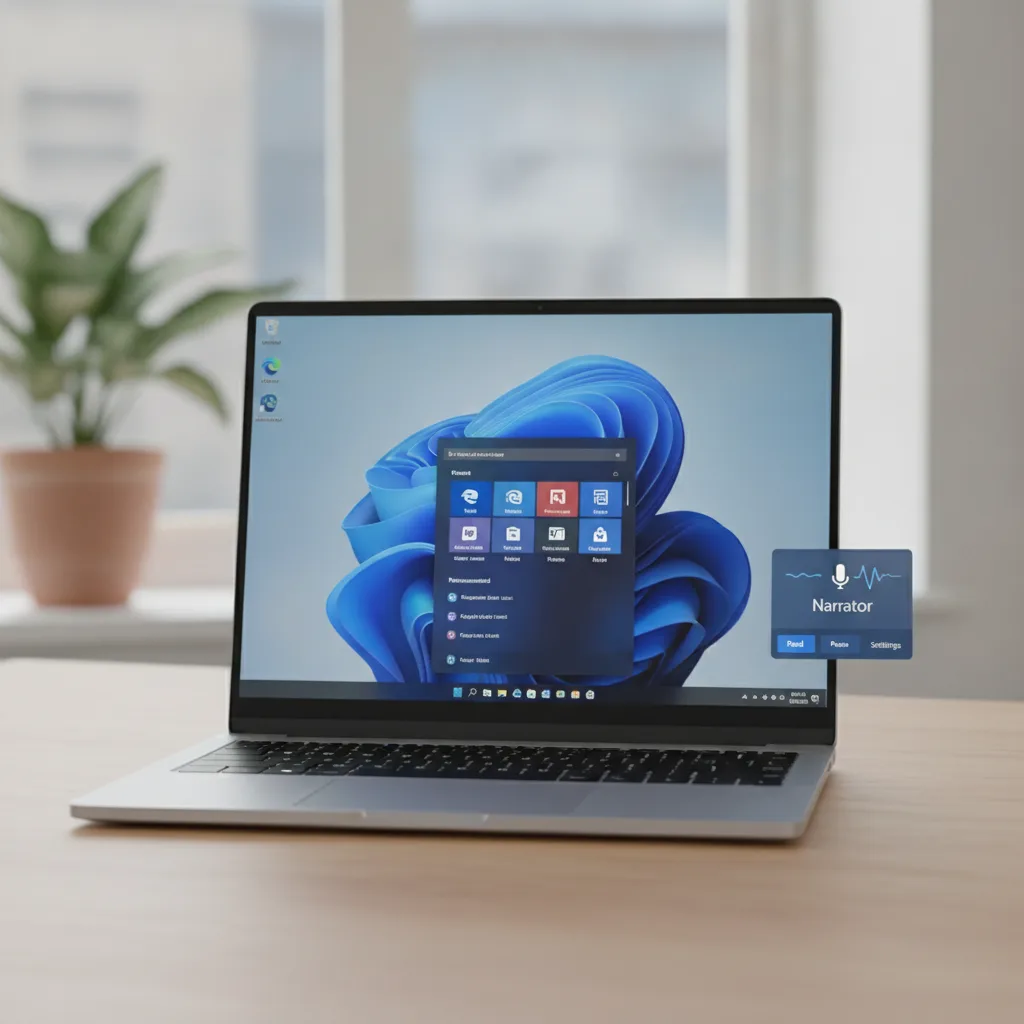
Microsoft's Windows 11 updates have significantly enhanced accessibility features, including improved voice access and screen reader tools. These continuous improvements make technology more inclusive and valuable for a wider range of users. (AI-generated illustration)
FAQ
What is a “feature update”? A feature update brings new functions, interface changes, and speed improvements to your device’s operating system or apps. These are different from small “bug fixes.” They add clear new things and often involve a big software change.
How often should I update my devices? You should install updates immediately. Companies like Apple, Google, and Microsoft release important security fixes monthly or quarterly. Delaying these updates leaves your device open to known attacks.
Can updates slow down my device? Sometimes, a new update might make older hardware work harder at first. However, most updates include speed improvements and bug fixes. These often make things faster and smoother over time. Developers try to ensure new features do not slow down your device.
What happens if I never update my device? Not updating puts your device at serious security risk. This includes malware and data breaches. Your device also will not work with new apps and hardware. Eventually, it will be less useful and will not get support from the maker.

An older smartphone or computer, like this early model, can often struggle to keep up with the demands of modern software updates, leading to slower performance and compatibility issues over time as developers optimize for newer hardware. (AI-generated illustration)
You might also like:
👉 Sustainable Futures: Investment, Cybersecurity & Future of Work